Pick a feature. See exactly how it works.
Five real screens from a real clinic account — click through to see what a patient sees, and what the clinic controls behind it.
Join without downloading anything
Every subscribing clinic gets its own public web page — no app store, no account, nothing to install.
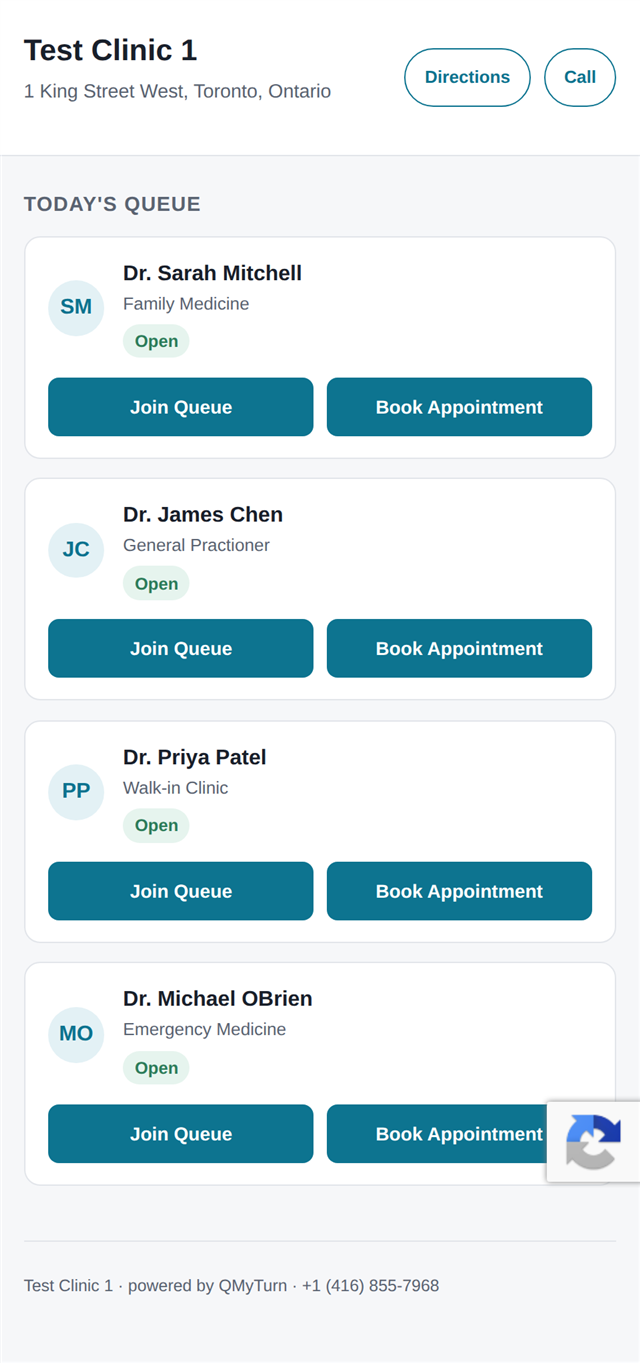
- 1A real clinic's own page. Same live status shown on the in-clinic display — this one's Test Clinic 1, our demo account.
- 2Join or book, right here. Both buttons work straight from the browser.
See every nearby clinic, live
The app opens on a map of nearby clinics, each showing whether it's open right now and how the queue looks.
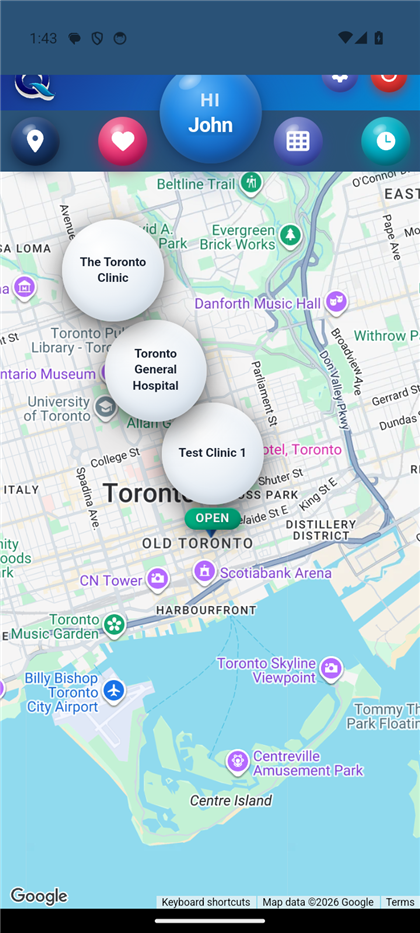
- 1Live open/closed, at a glance. A patient can compare a few clinics before leaving the house — this is Test Clinic 1, our demo account.
Walk in, or book ahead — same page
Take a number on the spot, or pick a date and time slot for later. The front desk sees identical detail either way.
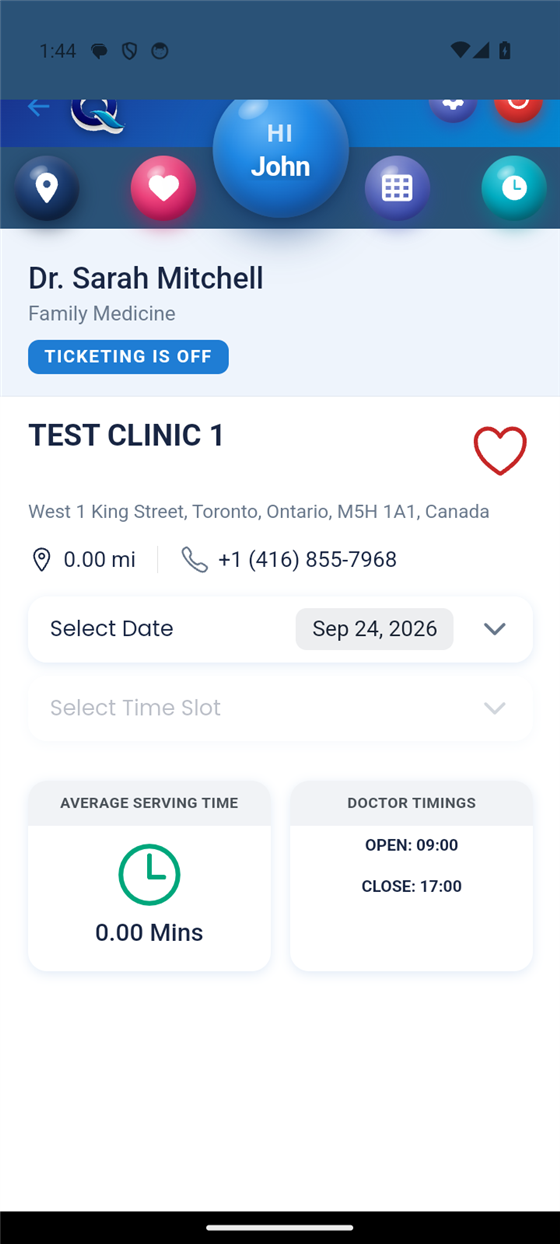
- 1Pick a date and time — or take a number and walk in. Both paths live on this one screen.
- 2Real numbers, not guesses. Average serving time and today's hours, pulled live from the clinic.
The queue that knows who's actually coming
While a patient holds a ticket, the app quietly reports how far away they are. If they're cutting it close and not getting closer, Smooth Flow steps in on its own.
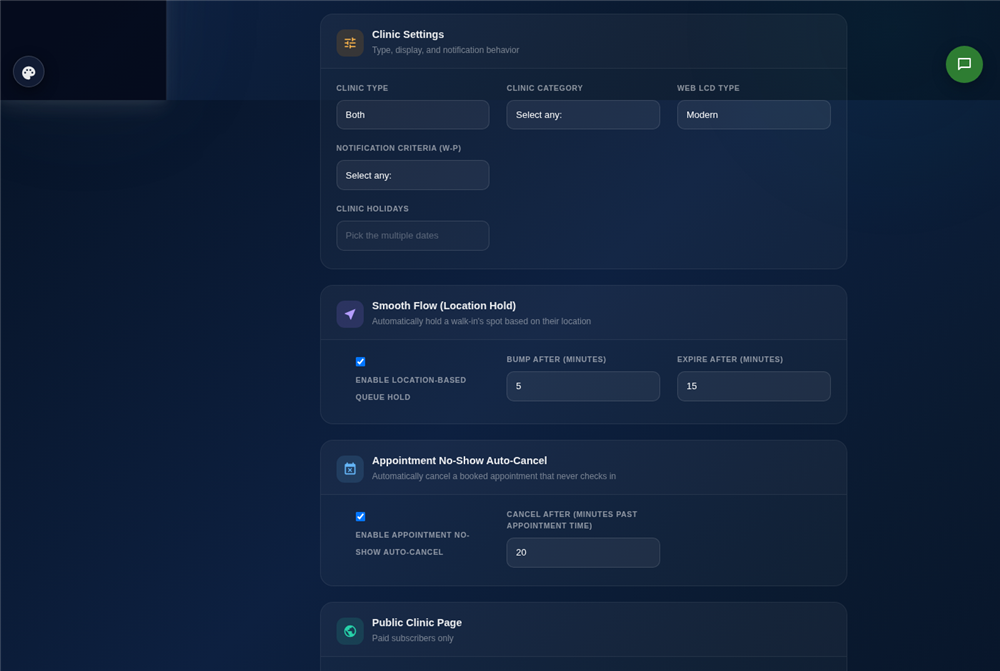
- 1The clinic switches it on. One toggle in Configure Clinic — off by default, on here for the demo.
- 2...and sets its own timing. Bump-after and expire-after, in minutes, their call.
Reschedule without a phone call
Either the patient moves their own appointment in the app, or clinic staff move it from the queue console — both update the same ticket and notify the patient immediately.
- 1Either side can move it. Patient in-app, or staff from the console.
- 2Instant notification. Nobody shows up to the old time by mistake.
Everywhere a patient already looks
See it running on your own clinic
30 days free. No credit card required.
The same queue, on a screen in the lobby
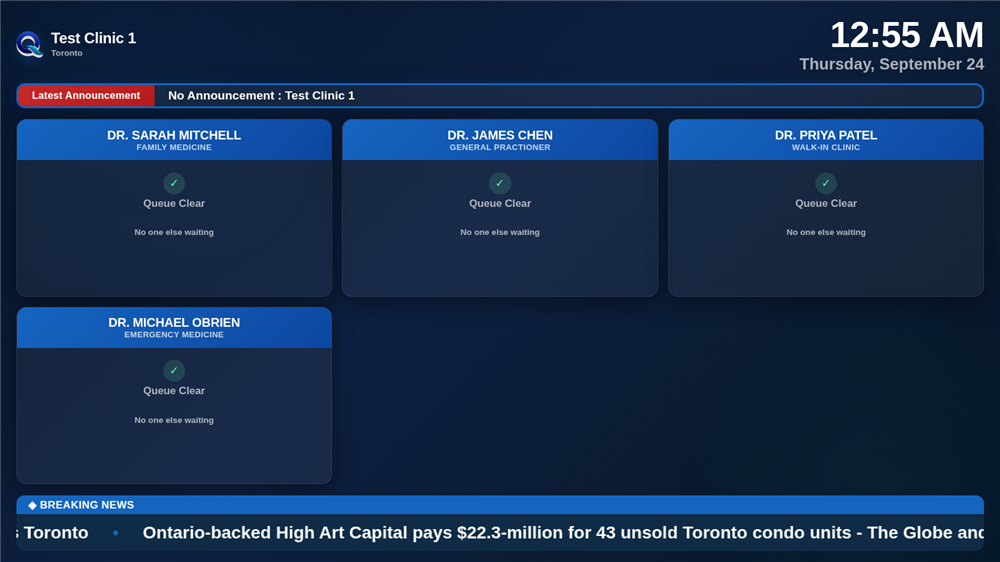
A dedicated display for anyone who walked in without a smartphone — live per-doctor status, the clinic's own announcements, and a news ticker. This is Test Clinic 1's real "Modern" LCD design, one of several a clinic can pick.